Cookie CSS

Sunday, November 9, 2014

Choosing an attendant console for Microsoft Lync

Traditionally the most common and most popular way to create an attendant console for a given platform was to use a standard like CTI or SIP.  The program would emulate a CTI route point, or SIP endpoint and answer an incoming call much like a phone on the system.  This approach has several advantages.  Almost every modern phone system today can talk either SIP or CTI, so you immediately have compatibility on almost any phone system.  Since you are essentially becoming a phone or phone server at this point, the features you develop would likely work universally from system to system.  To start the developer would develop some sort of user interface that an operator/receptionist could understand.   From there it was up to the developer to create the basic functions, answer, hang-up, hold, resume, transfer, etc.  From here you could expand your feature set to combine a myriad of SIP functions to create things like call parking, some sort of queue, etc.  This approach does have a few drawbacks too.  Since you are in possession of the call, you have the ability to drop or lose it if your software misbehaves and you don't have a proper fallback mechanism in the phone system.  You are also responsible for music on hold, and dealing with whatever queue related functions you have created.   In Microsoft Lync you are left with another, rather large disadvantage to using this approach.  To say Lync is just a phone system is like comparing your car to a chair.  Yes you can sit in/on both with a similar result.  It's fairly obvious that your car has many features your chair does not.  Lync is no different, while it does the telephony end of a typical phone system, it brings many more collaboration features with it, and on almost any device you would be using.


As a developer Lync comes with 4 major SDKs at your disposal, giving you complete control on the front end client and the back end server.  This is a HUGE difference compared to what developers typically see on other UC platforms.  So it begs the question, "Does the traditional UC development model fit Lync?"  I believe the answer is no.  Does a receptionist do the same job on a Lync system as she would on a traditional pbx?  The answer may largely be yes, but would said operator not benefit from being able to seamlessly use instant messaging, audio conferencing, call park (orbit), native response group (queue) monitoring, recording, transfer to voicemail, calendar visibility, and a whole host of other Lync specific call control and look up functions?  I whole heartedly believe the answer to this question is YES, and that answer of yes fundamentally requires a different approach be taken to the attendant console in regards to Microsoft Lync.

SDK Links
http://msdn.microsoft.com/library/office/jj162980.aspx

Doug Routledge, C# Lync, SQL, Exchange, UC Developer


Thursday, August 14, 2014

Bridge Lync (Skype for Business) Operator Console 3 Now For Sale

Press Release - Bridge Lync (Skype for Business) Operator Console 3 Now For Sale.

Bridge Communications Launches Bridge Lync (Skype for Business) Operator Console
Fargo, ND – 08, 14, 2014 –Bridge Communications launched a Lync (Skype for Business) Attendant Console titled Bridge Lync (Skype for Business) Operator Console today.  The software can run standalone or client /  server, which adds a few additional features.  BLOC works by controlling the existing Lync (Skype for Business) desktop client, so all the features of Microsoft's client are still available to the users. 
"Our team wanted to build upon Microsoft's Lync (Skype for Business) client in a way that makes core call control features easier to use, and add additional functionality making the receptionist / operator job easier to perform."  said Doug Routledge, head of the BLOC3 development team.  "We've been hugely successful in the Cisco UC marketplace, seeing double and triple digit growth year over year.  We decided it was time to bring this functionality to the Microsoft UC platform.  The Lync (Skype for Business) platform is unique in the space, and brings so many new and exciting features to develop around, it has been a great fit for Bridge Communications.  Microsoft is a great company to partner with, they offer both client and backend SDKs for Lync (Skype for Business), with functionality not seen anywhere else in the space.  We have a broad base of worldwide resellers, most of which offer both Cisco and Microsoft UC solutions.  We currently have over 10,000 installs on the Cisco UC platform.  We truly believe that BLOC will help grow Lync (Skype for Business) adoption, making it easier for companies to transition off existing IP phone systems, or older PBX switches." 
Click Here to See More.

Friday, May 30, 2014

Bridge Communications Launches LICC (Lync Integration for Cisco CallManager


Press Release - Bridge Lync Integration for Cisco CallManager


Fargo, ND – 5.30.2014 – Bridge Communications today announced that its Bridge LICC is officially available to all customers.


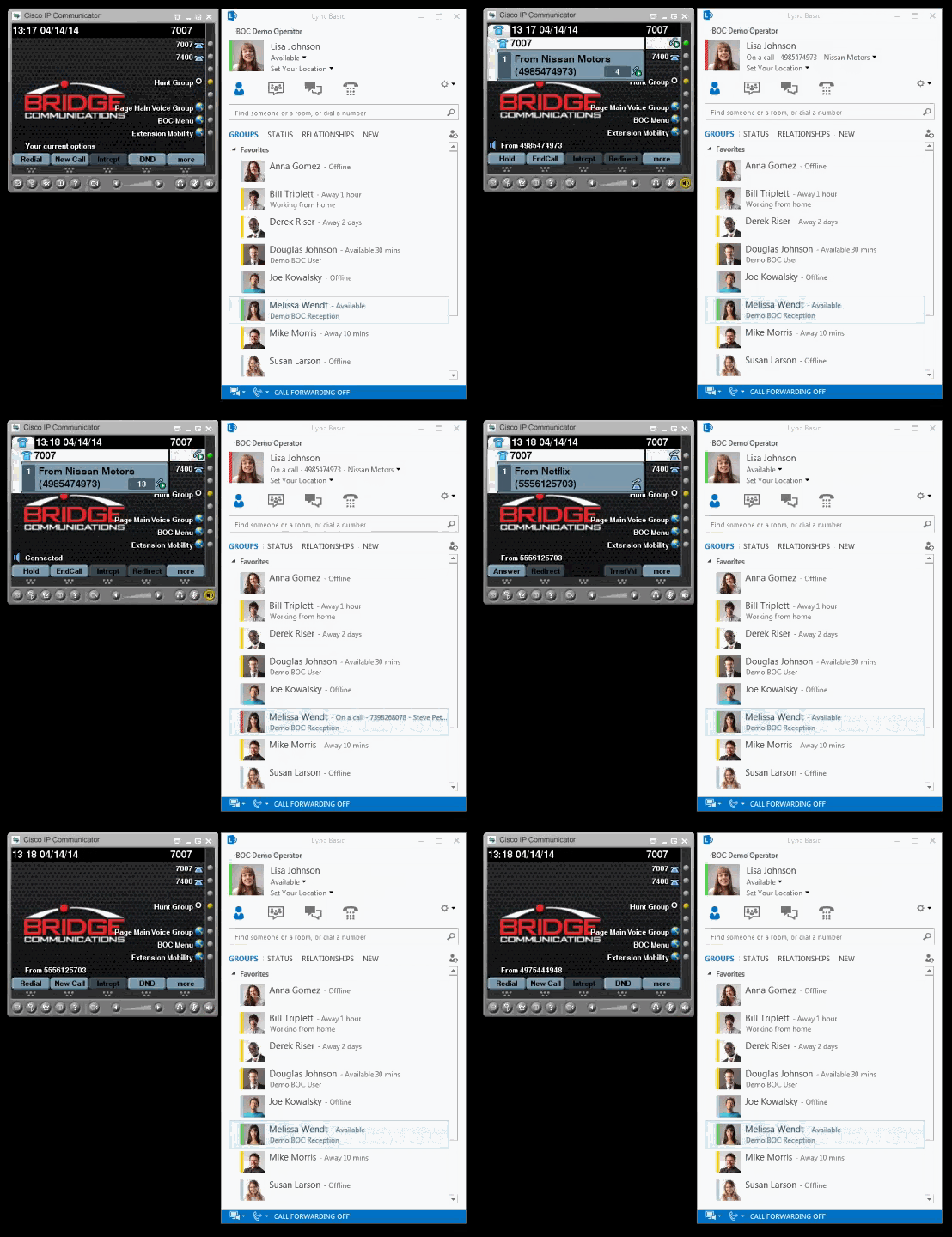
Bridge Communications LICC works with the Bridge Communications TAPI Connector for Cisco CUCM, to update the user's Lync status to include any call activity from the Cisco CUCM.  In most cases both BOC services can run on the same VM.  By combining Lync Presence and CUCM Call Status, Lync users will have real-time visibility to the "on a call" status of the Cisco desk phones.  Unlike CUCI-LYNC, BOC LICC does not require any desktop client, or desktop install or configuration, or any desktop piece of software to be running..  BOC LICC runs on a Lync Trusted Application Server.  Download MP4
See BOC LICC in the Lync Solution Catalog


Features

1.  Server based, no need to touch and update every desktop
2.  No plugins to cause issues in local Lync clients
3.  Show calls with CID or just generic "On a Call" indicator.
4.  Server service automatically updates itself to stay current.
5.  Works with all versions of Lync, and CUCM 6-10.x
6.  Returns to last status upon call completion
7.  Nothing to reinstall or change as you upgrade CUCM


Watch a Demo


Requirements

Lync 2010 or 2013 on premise, UCMA is currently not support in Lync Online.
BOC Connector Service for phone system.
 

Pricing

Pricing for BOC LICC is based on the number of Lync clients and breaks down as follows.
Bridge Lync Integration for Cisco CallManager Small Business (0-250 users)     $1500
Bridge Lync Integration for Cisco CallManager Intermediate (251-1000 users)     $2500
Bridge Lync Integration for Cisco CallManager Enterprise (Unlimited users)     $5000

Lync Notifier - Free with LICC Purchase

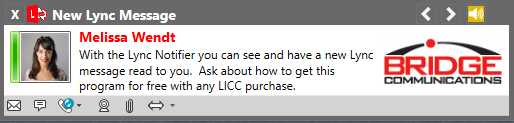
Get screen pops on new Lync messages, and optionally have them read to you in a variety of voices.  You can also initiate chat, voice, and video calls from each message popup.  You can customize the messages with your corporate logo too.  Customization of the message colors and borders is also available.


Click to Dial

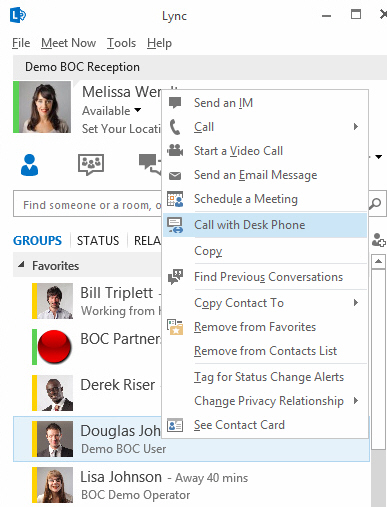
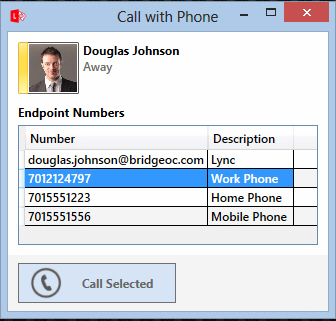
Lync Notifier installs our click to dial function into Lync.  From there you can call any numbers stored in a contact from your Cisco desk phone.

Monday, October 14, 2013

Bridge Communications Launches Bridge Tapi Connector Version 2

Press Release - Bridge Tapi Connector V2

Bridge Communications Launches Bridge Tapi Connector V2  
Fargo, ND – 10, 14, 2013 – Bridge Communications today announced that its Bridge Tapi Connector V2 is officially available to all customers.

Bridge Operator Console for Windows is designed to be a replacement for the Cisco Attendant Console auto attendant product available in Call Manager versions 7.x and below.   It allows for full presence from the phone system, Microsoft Exchange Server calendars (with optional Exchange Connector), Microsoft Lync (with free Lync Connector), and Cisco Jabber / CUPS. 
By combining all of your companies status information into a single source, the operators can make spit second call decisions.  Bridge Operator Console offers full call control function, like transfer, supervised transfer, parking, hold, resume, call, redirect, voicemail transfer, etc.  BOC also includes the capability to send text messages or voice pages directly to Cisco IP desk phones.  A unique feature that leverages the power of the phones is Park For.  Park For allows the user to park a call for someone, and have that person's phone notify them of the call, removing the needs for a page, or second call.
Version 3 is a major step forward.  It takes advantages of the latest Microsoft technologies leading to huge gains in both graphics and network performance.  Version 3 is a complete rewrite, analyzing every process, and making each piece more efficient.  In the end we believe the program is now faster, easier to use, easier to install, and easier to update.
 What's New in Version 2?
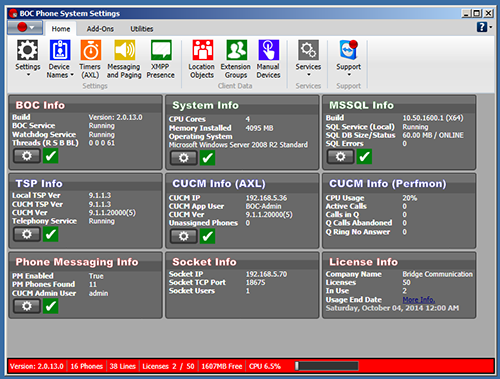
The Ribbon and Modern UI - Like the BOC client, the new Tapi Connector has a ribbon and modern UI look and feel.  It is designed to be easier to administer, and contains main new tests and utilities to make sure everything is working properly.
Languages - Tapi Connector V2 has been upgraded from 2 languages to 11.
New Dial Match Rules - Now you can create broad or network specific Dial Match Rules, and notify via any of the electronic options (IM, Phone Screen, Email).  Example:  If you use A on network 10.1.6.x dials 911 I want to IM User B.
New Network Based Paging Groups - Now you can create a group message or voice paging group based on a network, ie; voice page everyone on 10.1.5.x.
New Photo Sources - In addition to getting personal photos from AD, now you can load them from files, a folder, a url and more.
Settings on the Fly - Change any of the settings on the fly without having to restart the services.  You can now also update your license information in seconds when a new purchanse happens, if you need it before the normal hour long replication.
Server Prep Tool - You can download a single tool now that will prep your server with all the prerequisits, install the correct Cisco TSP, and all of the required BOC Components making installs a breeze.
SQL Included - Version 2 gives you the options to install the off box, or SQL 2012 Express bundled version, which will also do all the SQL prep and configuration for you.
Offline License Activation - If you absolutely can't give the connector an internet connection you can download and apply license information offline, including product activation.
Manage Add-Ons - You can easily manage Add-ons like the Exchange connector from the same GUI now, and easily unlock new purchased Add-on products.

About Bridge Communications:
 Bridge Communications was founded in early 2006.  Initially Bridge Communications was a hardware vendor, specializing in servers, SANs, networking, and telecommunications.  In 2007 after looking, with no success,  for an attendant console program that would meet our needs, we decided to develop our own.  In 2008 we were approached by several companies who weren't thrilled with the offerings available for CUCM, and asked if we could create a similar product on that platform.  In 2009 Bridge Communications joined the Cisco Developer Network, and began to develop an attendant console replacement for the Cisco legacy Attendant Console program, which was then scheduled to be terminated.  By that summer, working closely with CUCM users we deployed our first version in a live production environment.  Since then Bridge Communications has developed a network of the best unified communications resellers around the world.  Together we have helped thousands of businesses solve problems together, and streamline how they handle calls.  The Bridge Operator Console is in use all over the globe by some of the largest corporations in the world.   Our philosophy is simple.  We listen to our resellers and customers, and develop solutions that exceed their needs.  We keep everything simple, from our pricing, to getting a live human on the phone in a matter of minutes when you need help.